
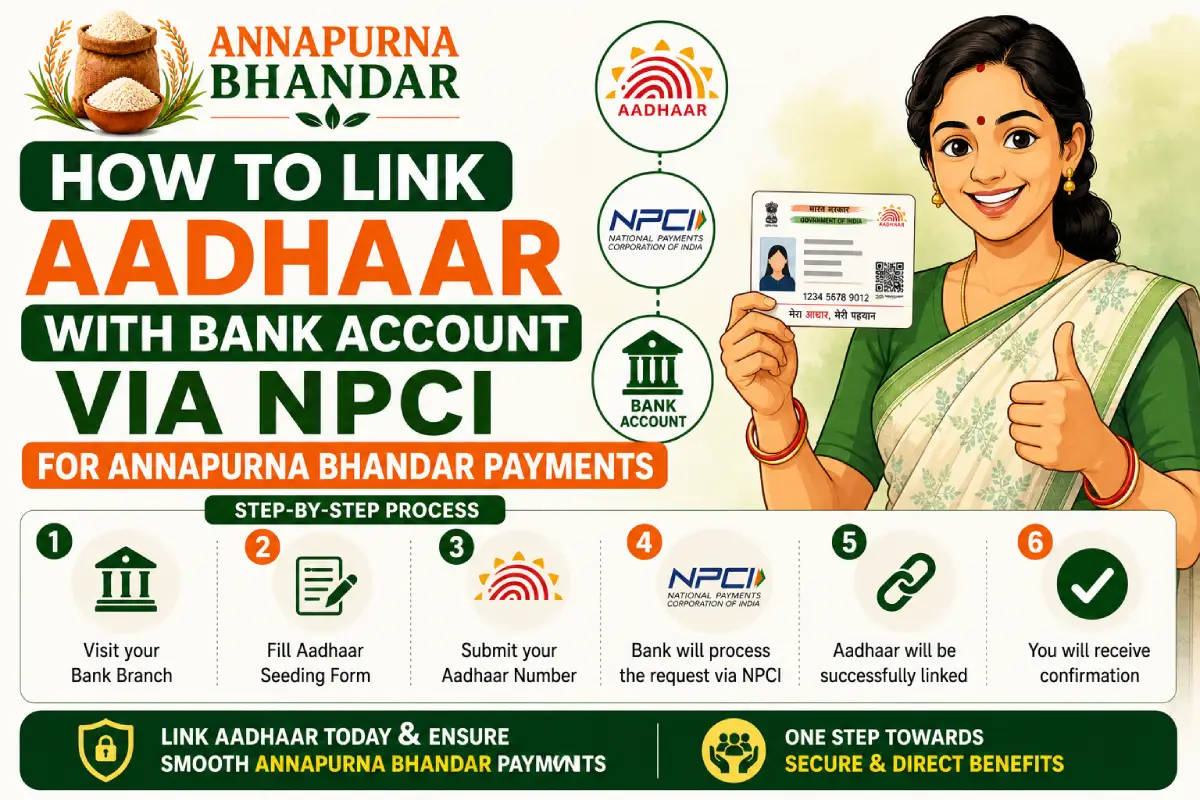
The Government of West Bengal’s massive rollout of the Annapurna Bhandar scheme has brought incredible financial support to families across the state. However, ensuring that your monthly allowance of up to ₹3,000 arrives in your bank account without any disruptions requires completing one critical technical step: NPCI Aadhaar Seeding.
Many applicants believe that simply submitting a photo-copy of their Aadhaar card to their bank or during application submission is enough. However, if your account is not actively linked to the National Payments Corporation of India (NPCI) central clearinghouse grid, the state’s automated Direct Benefit Transfer (DBT) system will automatically fail and reject the payment.
This comprehensive guide will walk you through exactly how to check your status online using the official Bharat Aadhaar Seeding Enabler (BASE) platform and how to fix mapping errors.
Why NPCI Seeding is Mandatory for Annapurna Bhandar
The government processes welfare disbursements via DBT using an Aadhaar Payment Bridge (APB). Instead of sending money to a specific bank account number and IFSC code, the government sends the money directly to your unique 12-digit identification number.
The NPCI system acts as a central switchboard. It looks up which specific bank account is actively “seeded” or mapped to your identification number and routes the funds there instantly.
If your bank account does not have active NPCI mapping:
- Your application may show as “Approved,” but your monthly payment will fail.
- You will encounter common transaction errors like “Aadhaar Not Seeded to Bank Account” or “Transaction Failed due to NPCI Mapping Issue.”
- Joint accounts or accounts without active e-KYC will automatically block incoming government transfers.
Method 1: How to Verify Your Seeding Status Online via BASE
Before visiting a bank branch, you can check your mapping status from home in under two minutes using the NPCI’s official Bharat Aadhaar Seeding Enabler (BASE) platform.
Step-by-Step Status Verification:
- Go to the official consumer services portal managed by the National Payments Corporation of India (NPCI).
- Locate and click on the User Management section and select Aadhaar Seeding Status (BASE).
- Securely enter your unique 12-digit identification number in the designated field.
- Complete the security Captcha verification.
- Click Submit or Get OTP. A temporary secure passcode will be sent to the mobile number officially registered with your ID.
- Enter the passcode and click Verify.
Understanding Your Status Results
Once verified, the screen will display one of three outcomes:
| BASE Portal Status Display | What It Means | Immediate Action Required |
| Active | Your account is successfully mapped on the central NPCI grid. | No action needed. Your Annapurna Bhandar payments will process cleanly into the listed bank. |
| Inactive / Not Found | The account is unlinked, or your old mapping has lapsed. | Action required. You must submit a fresh NPCI mandate form to your bank branch immediately. |
| Suspended / Dormant | Your bank account is temporarily restricted due to missing e-KYC details. | Action required. Visit your bank branch to update your biometrics and complete pending e-KYC. |
Method 2: How to Link Your Bank Account to NPCI (Offline)
If your online status check shows as “Inactive” or if you want to route your Annapurna Bhandar funds to a different, more reliable bank account, you must complete the process offline at your local branch.
Step-by-Step Offline Process:
- Visit Your Home Branch: Go to the local bank branch where you hold your primary savings account (bring your original identity documents and passbook).
- Request the Specific Form: Ask the bank executive for an Aadhaar Seeding Mandate Form (also widely referred to as the NPCI Mapping Consent Form).
- Fill in the Details: Fill out your account number, name, and identity details exactly as they appear on your government documents.
- Tick the DBT Box: The form will have multiple options. Ensure you check the box that explicitly states: “I want to seed my account with NPCI to receive Direct Benefit Transfer (DBT) benefits, including Annapurna Bhandar.”
- Submit & Await Activation: Submit the signed form along with a self-attested photocopy of your identity card. The bank typically uploads this data to the central NPCI server within 2 to 4 business days.
💡 Pro-Tip for Applicants: Make sure your bank account is a Single Account held exclusively in your name. The state’s automated DBT financial networks frequently experience processing errors when trying to disburse welfare funds into Joint Accounts.
Crucial Security & Privacy Warning
Because verification involves highly sensitive security credentials and verification steps, applicants must remain vigilant against online fraud.
⚠️ Important Safety Note: Never share your personal identification digits, bank passwords, secret PINs, or mobile OTPs with any third-party website, independent portal, or individuals claiming to be government agents. This portal provides informational tracking steps only. Official status verifications should strictly be conducted directly through secure, authorized government portals or inside your physical bank branch.
By taking a few moments to ensure your bank account is actively mapped on the central NPCI clearinghouse grid, you eliminate the single largest bottleneck standing between you and your successful monthly Annapurna Bhandar welfare payments.